
Oldest GUI application that still runs on Windows 11
https://blog.enlyth.com/posts/oldest-windows-gui-app-win-11/Mom passed earlier this year, so the FreeCell score record won't ever increment again, but I still made a point to back it up one last time when going through her desktop this summer.
Still the best navigable phone I had when coupled with the Nova Launcher gestures.
This precisely coincides with the web developers being allowed to wrap stuff into "apps" in Electron and the like.
Apple meanwhile has made some notable mistakes, but when they do, it's usually a thorough bad bet that's just missed the mark, but if they do, it's all throughout their OS in every corner. Even with their recent Liquid glass blunder, they're not really putting a veneer that looks like wood over a rotting corpse of a house, they're just picking bad materials to update an otherwise decent layout. Microsoft's whole track consumer UI/product record imo is trying and failing to bet small but intrusively on ideas that don't work, aren't cool, and have no longevity. You see it as soon as you open the control panel that still looks like the 90s; it's this uncomfortable amalgam of failed tepid temporary marketing pitches by some department that make no sense
Something fundamentally switched around 1998-2002 in how interface design was viewed and approached. I started my career in software as a design summer intern at a company that made a Windows “groupware” application in 1997. They took pride in following the platform’s guidelines and actually testing their designs with real users being videotaped trying to use it. The company’s UI design department was tiny, but employed both an industrial designer and a cognitive scientist.
Five years later, everybody I met in UI design was a graphic designer who was drawing glossy website mockups in Photoshop. The elder lore of science-based UI design was completely lost when Web 2.0 happened and app designs became vibes-based. Even Apple couldn’t resist the tide. (Indeed Steve Jobs’s return to Apple in 1997 was a major contributor because he had developed a taste for user-hostile skeuomorphism like the brushed metal QuickTime Player.)
I was at Microsoft when they user-tested Windows 7 to death. Including installing eye tracking software during sessions so you could monitor where the user was looking at on the screen.
That data was in part used to justify the changes made in 8: "Users only click on the start menu 0.1% of the time and when they do they focus on a narrow portion of the screen."
Def the sort of stories you hear at at a bar after work.
I think a fair take is that going full skeuomorphic may take some options off the table for you because they would conflict too much with the metaphor you’re leaning hard into.
I’m still 100% Team Forstall though, considering the massive violence that ios7 and its copycats have wrought on usability.
The poster boy for that is the old QuickTime Player, which had a volume wheel and a drawer for shortcuts. https://www.johnforde.com/teaching/shame/qtime.htm
We could even have unified desktop.mobile codebases, with different GUI layouts. 280 North's objective-J/Cappuccino proved this.
IDK what we're even doing anymore.
I would say people are just disagreeing with you that the situation is actually so black and white.
Win10 LTSC with the right options and limiting search to local only is pretty good also though. Insanely snappy on even crap systems (with really any SSD)
Of course people who got used to traversing 3-level menus got annoyed but they still have all the same keyboard shortcuts. However, spending enough time, you also get used to Ribbon and it usually requires fewer clicks not more.
I still find a tastefully done Ribbon is better than a menu and a toolbar combination. The problem is, not everybody has put the same effort that Microsoft did which created monstrosities like Solidworks Ribbon.
https://www.softpedia.com/get/Desktop-Enhancements/Themes/Mi...
https://images.sftcdn.net/images/t_optimized,f_auto/p/5c889a...
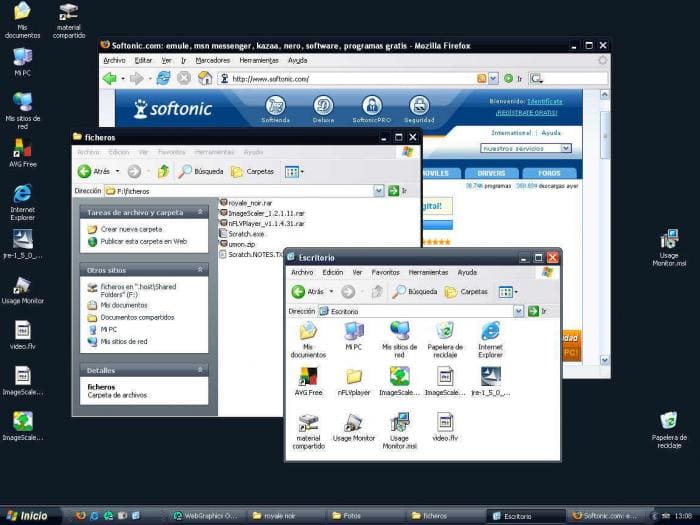
What does this mean? I use lots of apps that still have a menu bar.
Some apps eschew it, like browsers, but not because they are “mobile first”, but because they are trying to maximize screen space.
I don't think this is true. If anything, we see more oversized buttons and empty space nowadays. It's as if developers forgot that PC users have keyboards and mice. Remember, display resolutions and monitors were a lot smaller back then, and making space count was arguably more important 20 years ago than it is today.
The space also really has nothing to do with “mobile first”. It’s for touch screens (and also modern aesthetic that avoids crowded controls).
To be clear, I am not saying that all apps are optimizing for saving screen space. I was specifically talking about browsers, which are broadly optimized to give as much area as possible to the content.
The Wells Fargo website screams this for me - it used to be dense and packed with info, now it's got large elements and wasted space.
Ironic to say on hackernews which shows massive whitespace in the margins-- and if I try to widen my tab sidebar it actually indents the margin rather than eating into it.
One can look across the computing space as a whole and see that, it is surely not the case that we're "maximizing screen space".
The key element missing from this thread is that the Internet going from a text based to a multi-media (and increasingly video-centric) experience.
A lot of Internet users, at this point, do as much reading on their phone or laptop as I do reading on my TV (almost none).
Oh really? I, sadly, use nearly none. Open on my desktop right now: Slack, Outlook, Zoom, Windows Terminal, Edge, Claude, Obsidian, whatever the Windows image viewer is called, Cursor, and VS Code.
Only the last 2 have menu bars. And I can’t be certain that I didn’t dig through the preferences of one or both of them when I first installed them to tell them to knock off the bullshit and give me back the menus. Once in a while, there is an option buried somewhere like that.
I see some have gone the “browser” direction with tabs folded into the title bar and the menu bar dropped. Windows Terminal, File Explorer, and Notepad are all that style now.
Edit: Actually Notepad has the tabs in the titlebar thing but retained the menu bar and folded it into the command bar.
The Windows SDK samples like Hilo make use of C++ with COM.
Ribbon is absolutely an improvement for users but is more work for the XML layout and learning how to organize it.
I'm rather convinced that Ribbon is still the best way to organize quick actions, show their shortcuts (Alt to see keyboard shortcuts), and also have enough text to describe all the buttons. But it'd be nice if it were easier to make good Ribbons.
Menu was braindead easy, albeit through ancient process of .rc files and whatnot
Old Photoshop, any CAD software, Excel. Smaller buttons and more of them is a steeper learning curve but results in far superior day-to-day usability. You can still hold down [Alt] and see hotkeys, that wasn't unique to the Ribbon UI.
it's all very much an example of the "Look at what they need to mimic a fraction of our power" meme.
It's well acknowledged that modern designers and users benefit from large vs small, and other varying styles of organization.
Menus only had top menus vs submenu vs sub-sub-menu (and so forth). Yes a good menu is useful but...
A ribbon offers many more tradeoffs. It's harder to design a good ribbon, but the best ribbons are always better than even the best menu. The important features will be physically larger with more text and space. The less important or niche features might just be an icon with tooltip, possibly hidden behind a subcategory of the ribbon.
In theory, you can use the modern Ribbon to make old school menus. But why bother? If you made the switch to that XML design language, you might as well take all the benefits of the Ribbon
Or hell, if you like old school menus, you can still make them today. Those .RC editors still work in modern Windows 11. But give it a shot and you'll see how restrictive and bulky old school menus are in practice.
There’s no need to be hyperbolic or blinded by nostalgia. Yes, user interfaces have suffered several setbacks in the years since, but even if we concede every change was for the worse (they weren’t) it was by no means “perfected” and there was still plenty of area for improvement.
Well that can't be entirely true, the desktop experience on Windows 10 improved on Windows 8 by leaps and bounds.
If you see this UI transition through the same lense as CLI-GUI one, a lot of things become more clear, in my opinion.
I think we've actually completely stagnate on the human interaction side of OSes and only emacs has made any progress and then only for those willing to put the work in, not as a vanilla user ui.
Insanely great performance.
The finished patch DLL ended up being a tour of the stuff that broke.
The game did launch on Windows 11 but the main issue was that the 8-bit pre-DirectDraw behaviour was broken - for 256 colour screens, Windows 11 resolvesld palette indices only once, but the game relies on being able to change the palette for fades etc. Most of the screeen ended up black, but you could see the animated parts just fine.
So most of fix ended up being to hook every draw call and implement a virtual GDI that acted like a graphics card of the day.
There was a 32-bit disc space check that overflowed, a couple of use-after-free crashes and some racey threading calls that can't have been tested on a machine with 2 CPUs.
Backwards compatibility from Microsoft was almost all there, and probably would have kept Orly running for a couple of subsequent Windows releases. But it relies on a developer meeting them half-way, it's not an emulation layer.
It is amazing, though. Wintel is basically a Matryoshka doll (Russian nesting dolls), where each version contains all the previous versions. (Just look at how a PC boots up!)
The dedication to compatibility is commendable, and you don't really see it on the other OS's. On that note, this is one of my favorite articles:
Win32 is the only stable ABI on Linux
https://blog.hiler.eu/win32-the-only-stable-abi/
I think that's very funny. Speaking of which, EasyToon also runs in WINE, of course :)
It inspired a weekend project. I always liked that you could swap the card backs in OG FreeCell and play with different "themed" decks, so I vibecoded something a little more modern. I got carried away and added a roguelite mode too (yeah I know how "Roguelite FreeCell" sounds). Anyway, it's free to play on the web, no ads: [https://freecellworlds.com/]
Pointing this out without a trigger warning is just rude ;-)
Some of us are older than we think, yo.
This makes me curious to know if CDPLAYER.EXE would still work (unmodified, without extra DLLs) with a real CD-ROM drive if you ran it on a Windows 11 machine with one installed.
It's a thing for making little black and white animations. (With GIF export.)
It was popular in the early 2000s and there was a subculture around it on animation forums.
English version (hey, still online!):
https://www.superfundungeonrun.com/easytoon/
Original version (Japanese, w/ screenshots):
https://web.archive.org/web/20020111185602/http://www.radium...
There's also a forked version on a French website (also available in English) with some extra features. But I like to keep it simple :)
Honestly, if NTVDM was part of Windows then it seems fair to use it, even 3rd party clones.
I was aiming for something you could double click on vanilla Windows and would just work out of the box
Can you imagine the maze of a diagram that enables these old APIs to draw to the screen and render controls properly still?
I remember a recent-ish post on here that really, I mean really, dived deep into this whole thing. It turns out that it was mostly a lack of willpower or maybe political that stopped Windows 64bit running 16 bit apps.
Somewhere in the kernel, with some obscure mechanism there is support for some kind of emulation that if implemented would allow it to run NTVDM and therefore these 16 bit apps.
The author of the post even had some kind of proof of concept of running a 16 bit DOS app directly under Windows 64 bit with this.
The details are blurry, but I believe that that had the Windows team really wanted to this emulation could have been built in and totally seamless.
I got the impression that this was actually a fairly new finding which is why I suppose no one has tried it.
At one tine, Slackware Linux would not recompile binaries unless the program was patched. So there was a time you could find rather old binaries on Slackware, and maybe still on other distros.
I wonder what the oldest unchanged source/program running on Linux or BSD ? My vote goes to cat(1) :)