
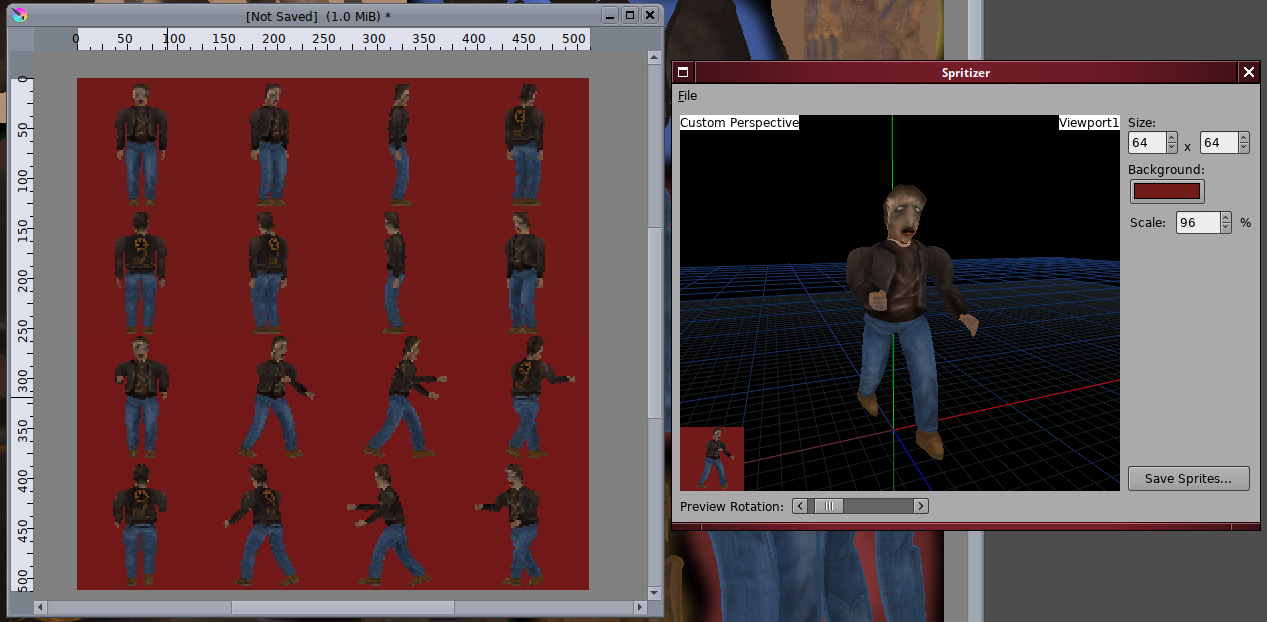
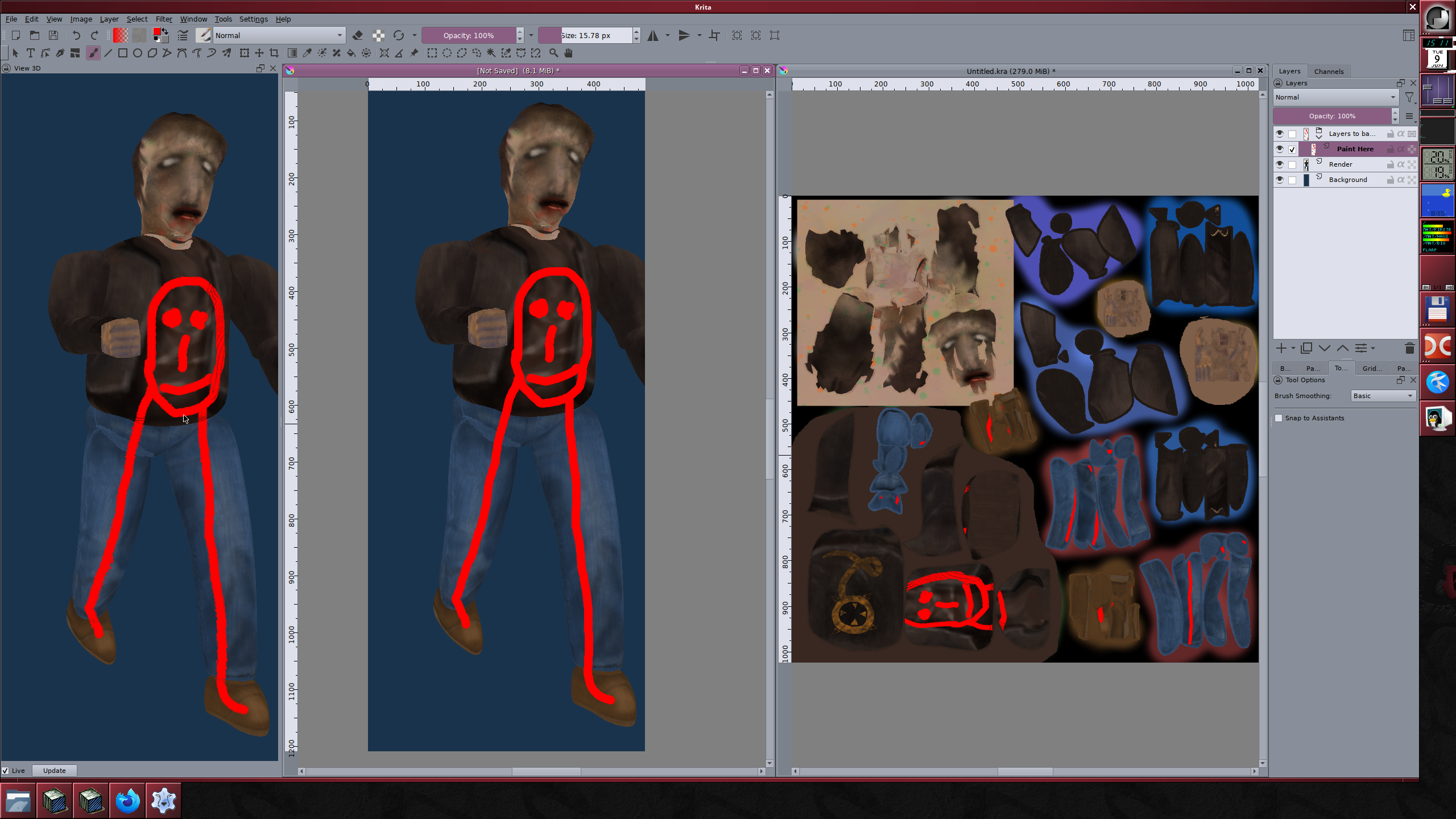
I did write a tool for generating the sprites from 3D models though[2]. It uses plain old OpenGL 1.1 to draw the sprite and grabs the framebuffer directly. It is drawn fullbright so i can paint the lighting directly on the sprite's texture (using a Krita plugin i wrote[3][4] - the model is something i threw together with Blender's default generated UV since i didn't care for the details).
I wonder if doing some sort of postprocessing (after rendering with with shading) like you do with your game would help with the finer details since i also found that rendering from 3D models to sprites creates very "mushy" results most of the time because of all the details getting lost. I notice the colors also become more saturated after postprocessing in your examples, is this after it finds the closest color in the palette or the result of the postprocess? I'd like to keep the overall hue+saturation of the model so maybe doing post-processing on a grayscale render to shade the shadows/dark areas but keep highlights as-is and then multiplying that with the fullbright image would produce results that wont shift the saturation.
[0] https://bad-sector.itch.io/post-apocalyptic-petra
[1] https://codeberg.org/badsector/PetraEngine/src/commit/14ca16...
[2] http://runtimeterror.com/pages/iv/images/95ddebc51e4dfa8a5af...
[3] http://runtimeterror.com/tools/kritaview3d/
[4] http://runtimeterror.com/pages/iv/images/535f0e09e590d8a1731...
It's the result of the Blender compositor postprocessing, just keep in mind it falls apart once you go low enough in resolution (it's an image space thing after all), so I'm not sure if that helps your case.
EDIT: Also, your project is very cool!